

Website Refresh or Full Rebuild? How Small Business Owners Can Make the Right Call
A website can look dated without needing to be replaced, and a fresh coat of digital paint cannot fix every problem. For a contractor, fitness center, restaurant, pest control company, or cleaning service, the right choice depends on whether the existing site’s foundation still supports the business. A focused refresh can improve a sound site; a rebuild can make more sense when its structure, technology, or direction is holding the business back.
The distinction matters because the two projects have different scopes, timelines, costs, and risks. This decision framework will help you identify what your website needs, what it is worth preserving, and how to plan an investment that supports your next stage of growth.
1. Start with the foundation, not the appearance
Think of your website like a business location. New signs, paint, and lighting can make a sound storefront more inviting. But if the layout no longer works, the entrance is difficult to use, or the building cannot support the business, cosmetic updates are not enough.
The same applies online. A site can look old but still have a usable content management system (CMS), clear navigation, working integrations, and pages that attract valuable search traffic. If those foundations remain sound, a refresh may be the more efficient route.
Start by listing what needs improvement and grouping each issue as visual, content or usability, structural, or technical. A dated color palette is visual. An unclear service page is a content or usability issue. Navigation that needs a complete overhaul is structural. An unsupported CMS or fragile custom code is technical. The more issues that fall into the last two categories, the stronger the case for a rebuild.
2. Choose a refresh when the core site still works
A website refresh updates the existing build rather than replacing its underlying structure. Depending on the site, it may include new photography, refreshed copy, updated styling, revised calls to action, page-level improvements, or adjustments to existing templates.
A refresh is often a practical choice when:
- Your CMS and templates are still dependable. Your team or web partner can make changes without fighting the system.
- The site’s structure makes sense. Visitors can find key information, and the main service pages still reflect how the business works.
- The business has not changed direction significantly. Your brand, audience, services, and customer journey remain broadly the same.
- The issues are limited in scope. Some images feel dated or a few pages need clearer information, but the site does not need a new architecture.
For example, a restaurant with a useful menu page and a sound mobile layout might benefit from updated food photography, revised hours, and a clearer reservation button, not an entirely new site. A contractor may need stronger project photos and refreshed service descriptions while keeping the existing page structure.
That is the value of a refresh: targeted improvements can strengthen credibility and make the site more useful without paying to replace parts that are already doing their job.
3. Rebuild when the structure or technology is the real problem
A rebuild involves creating a new design and often rethinking the site’s page structure, navigation, templates, or CMS setup. It is a bigger project because it addresses how the site works, not just how it looks.
A rebuild is more likely to be the smarter investment when:
- The site cannot support the business as it operates today. Your current layout does not accommodate new services, locations, booking needs, or lead-generation goals.
- Mobile usability is a systemic problem. Fixing one or two pages will not resolve issues affecting the whole site.
- Your business has pivoted or rebranded. The existing site architecture and messaging no longer fit the customers you serve or the work you want to win.
- Routine updates are difficult or dependent on workarounds. A site that owners cannot manage efficiently can make even simple changes slow and costly.
- Technical limitations keep accumulating. Unsupported software, brittle customizations, or integrations that no longer fit can make further patching an increasingly poor investment.
The deciding question is not simply, “Could this old site be fixed?” It is, “Will fixing it provide a stable foundation for the business, or will each improvement add another workaround?”
A carefully scoped rebuild can give your firm a clearer structure, a more manageable publishing experience, and the flexibility to support future changes. That is the difference between replacing what still works and investing in a more useful foundation.

4. Compare scope and cost before choosing a route
A refresh usually focuses on a limited number of pages and existing templates. A rebuild often requires more planning and coordination: reviewing the customer journey, mapping navigation, designing new page templates, organizing or rewriting content, developing the site, and testing it before launch.
Those differences affect cost. Third-party pricing guides describe professional refreshes as potentially costing less than substantial redesigns, while more complex rebuilds can cost considerably more. For reference, one 2025 pricing guide gives broad estimates that range from about $1,000–$5,000 for professional refresh work to $8,000–$30,000 or more for complex rebuilds. These are market examples, not universal rates or a MastroTek quote. Actual costs depend on the site’s size, content, integrations, platform, and project scope.
For a meaningful comparison, ask for both options to be based on the same business priorities. A refresh estimate should make clear which problems it will solve, and which will remain. A rebuild estimate should explain what it includes for planning, content, development, migration, testing, and launch. A lower initial cost is not a bargain if the work leaves your team with the same limitations.
Explore web design for small business and review MastroTek’s website portfolio to see examples of work for businesses such as fitness studios, contractors, and local service providers.

5. Preserve the assets that are already earning their place
A refresh or rebuild should not mean discarding valuable business assets. Before work begins, identify what should carry forward.
- Keep your domain where possible. It is a familiar address for customers and may be referenced across listings, email, and marketing materials.
- Protect pages with proven search value. Review search and analytics data to see which URLs bring organic traffic, inquiries, or other useful results.
- Retain content that performs. Strong service descriptions, helpful articles, customer information, and project pages may still be valuable after a design change.
- Plan carefully for URL changes. If the new site changes page addresses, map old URLs to relevant new pages and use redirects. Update internal links and check the new site before launch.
Google’s site move guidance explains how to plan and monitor a move that changes URLs. A professional rebuild should treat search visibility as an asset to manage, not an afterthought. Preserving useful content and handling redirects correctly helps protect continuity for both visitors and search engines.
A redesign should not be judged by its new appearance alone. It should keep the proven parts of the old site working while making the site clearer and more capable.
6. Make the new site manageable after launch
A website is not a one-time project. Services change, staff update business hours, seasonal offers come and go, and technology needs ongoing attention. A new site that is difficult to update can leave the business dependent on outside help for routine edits.
For owners comparing options for WordPress website design, the editor experience should be part of the discussion. A suitable CMS can make ordinary tasks: updating service details, adding photos, or publishing an announcement, more manageable. That means your site can stay current as the business changes.
Also consider how business website management will work after launch. A clear maintenance plan can support software updates, testing, backups, and ongoing content changes. Those services help keep the site dependable and reduce the chance that small issues grow into larger disruptions. See MastroTek’s website maintenance services for details.
7. Use a simple decision framework
Before approving a project, answer these questions:
- Can the current CMS and templates support the improvements you need?
- Are the problems mostly limited to styling, content, or a few usability fixes?
- Do the current page structure and customer journey still fit the business?
- Can your team make normal updates without recurring workarounds?
- Will a refresh solve the underlying problems, or only make them look better?
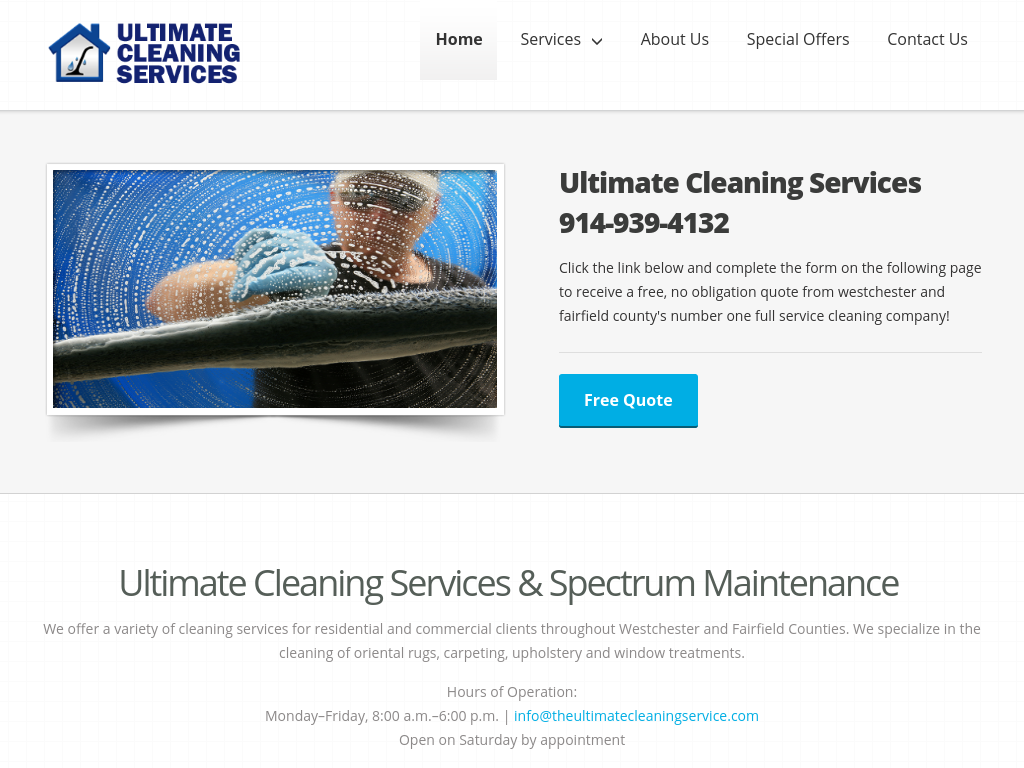
If the site is structurally sound and your priorities are limited, a refresh may be the right fit. If the navigation, templates, CMS, or customer journey need substantial change, a rebuild deserves serious consideration. When the answer is unclear, a professional assessment can turn a vague “the site needs work” into a practical, prioritized scope.
Choose the option that gives your business room to grow
A refresh is a smart investment when the foundation is working and focused improvements will make the site more credible and useful. A rebuild is the stronger choice when the business has changed, the structure no longer fits, or technical limitations keep getting in the way. In either case, preserve valuable content and search equity, and plan for ongoing care so the site remains an asset after launch.
MastroTek builds approachable websites designed to help business owners manage their online presence. If you are weighing a refresh against a rebuild, request a no-obligation estimate to discuss your current site, priorities, and next steps.